
Cleaners hiring cleaners
The job you cannot take alone, filled by someone who does this too.
A four-bedroom move-out on Friday. Three Airbnbs on the same block. Helpers is where cleaners in your ZIP find each other for exactly those days — and every screen below is the real thing.
Real screens, captured in August and September 2026.
Anatomy of a request
You know the pay, the day and who is asking. Then you decide.
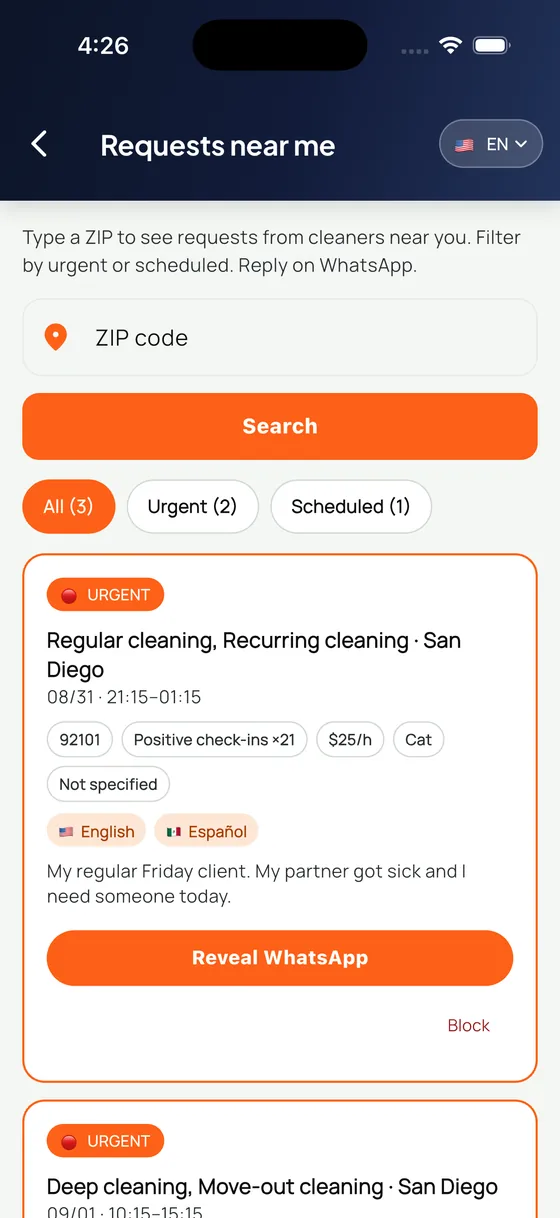
Type a ZIP, filter urgent or scheduled, and read the whole job on the card. This is one real request, exactly as it arrives.
- ZIP search
- You type the five digits. Nothing from outside the area you asked for ever shows up.
- All / Urgent / Scheduled
- Counted filters, so you can see at a glance whether today has anything for you.
- $25/h
- The pay, on the card, before you answer. No 'message me for details'.
- Check-ins x21
- How many confirmed jobs this person already has behind them. Reputation you cannot build alone.
- Cat
- Pets, languages and whether you need your own car — the things that decide whether you can take it.
- Reveal WhatsApp
- One tap, one request. Only then does the other person know you are interested.
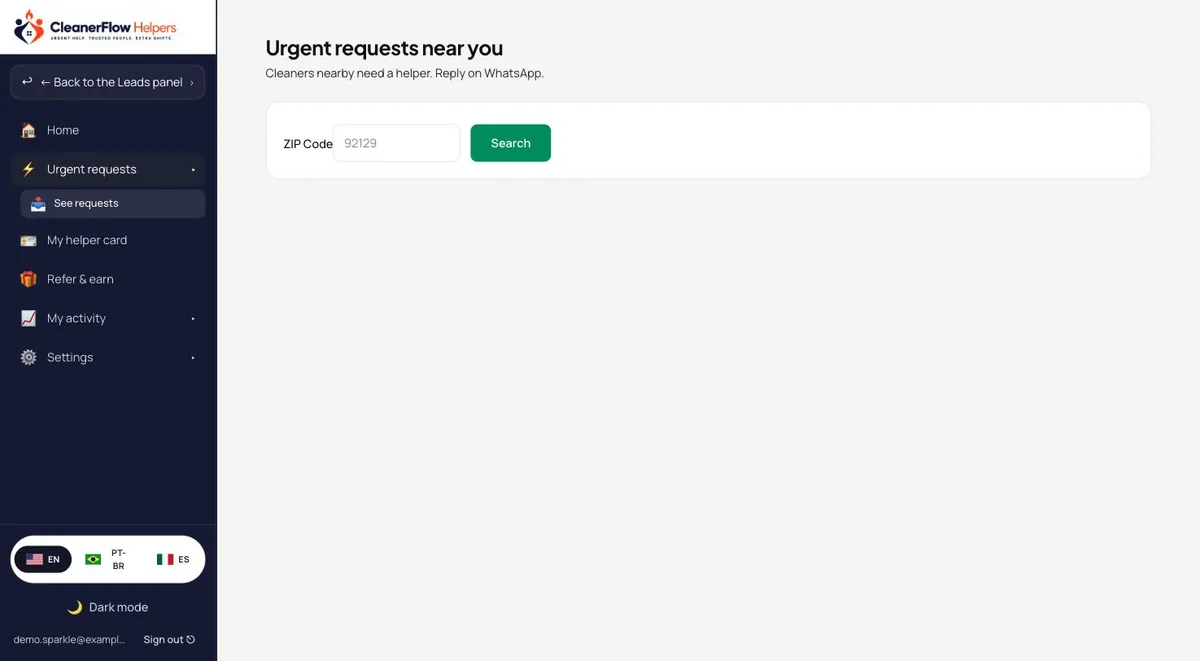
Requests near you
The pay is on the card. Before you answer.
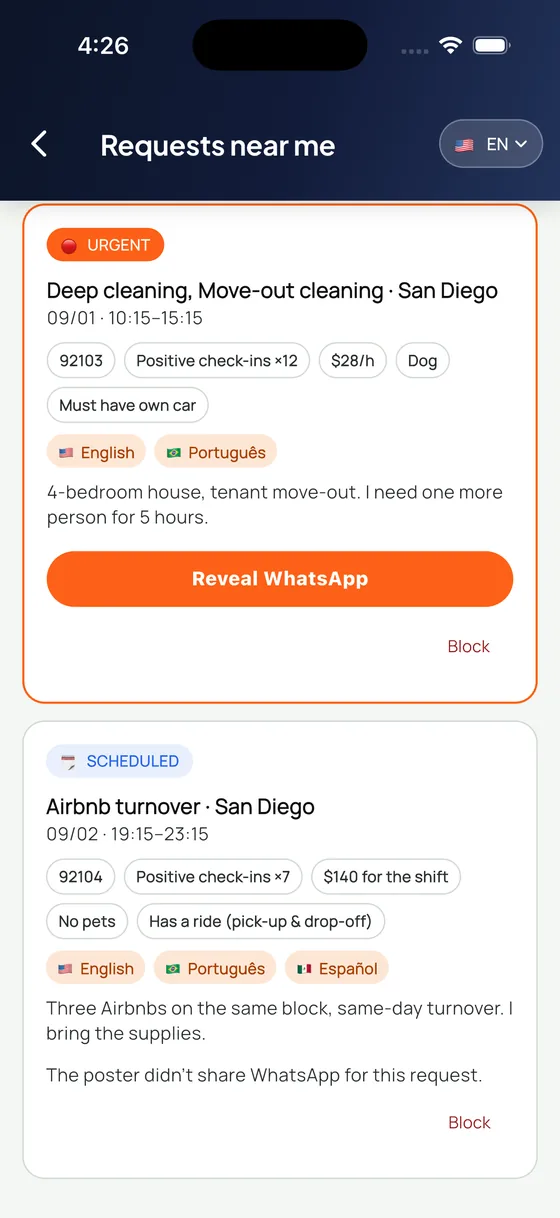
Twenty-eight dollars an hour. A hundred and forty for the shift. It is printed on the request next to the date, the ZIP and how many hours — so you know if it is worth your Friday before you spend a word on it.
- Rate or shift price on the card itself
- Urgent and scheduled marked apart, so you can filter your week
- Languages spoken, pets, and whether you need your own car
Your WhatsApp
Your number is never on display. You hand it over.
Nobody browses a list of phone numbers. The contact opens only when you tap to reveal it, one request at a time, and only then does the other person know you are interested. If someone does not want to share theirs, the request says so out loud.
- Reveal is an action you take, not a setting someone else reads
- You can block a poster from the same card
- A request without WhatsApp says so on its face
Your helper card
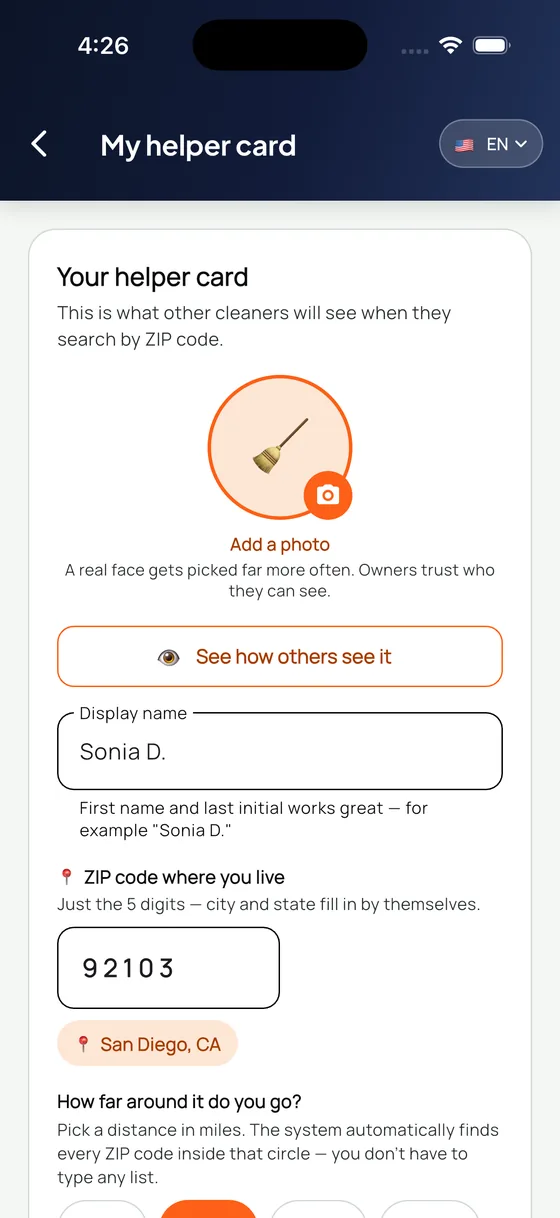
Other cleaners find you by ZIP. This is what they see.
Your first name and last initial, the ZIP where you live, how far you travel, and the languages you actually speak. You type five digits and the system fills in every ZIP inside your radius — you never type a list.
- Photo is optional, and the app is honest that it gets picked more
- Type one ZIP, the radius does the rest
- Preview exactly how owners see you before you publish
Nobody watches you
Views are counted. Watchers are not named.
You can see that your card was viewed today and over the last week. You cannot see who, and neither can anyone else about you. That is deliberate: a number tells you the card is working, a name would only start pressure and gossip.
- Counts only — never a list of who looked
- You do see who revealed your WhatsApp, because that is a contact action
- Reopening a WhatsApp you already revealed never spends a reveal again
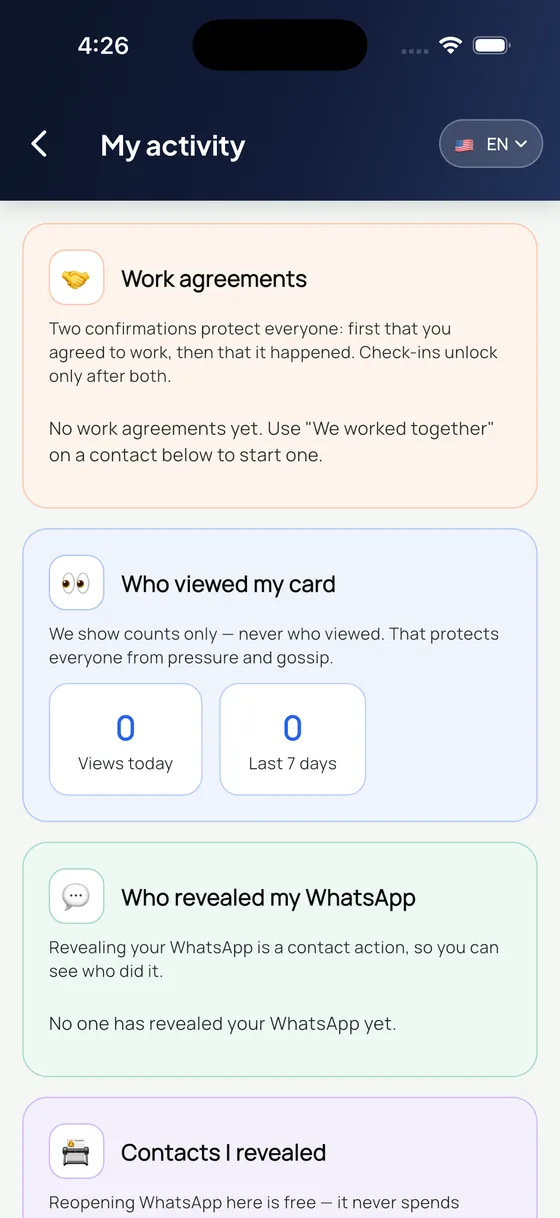
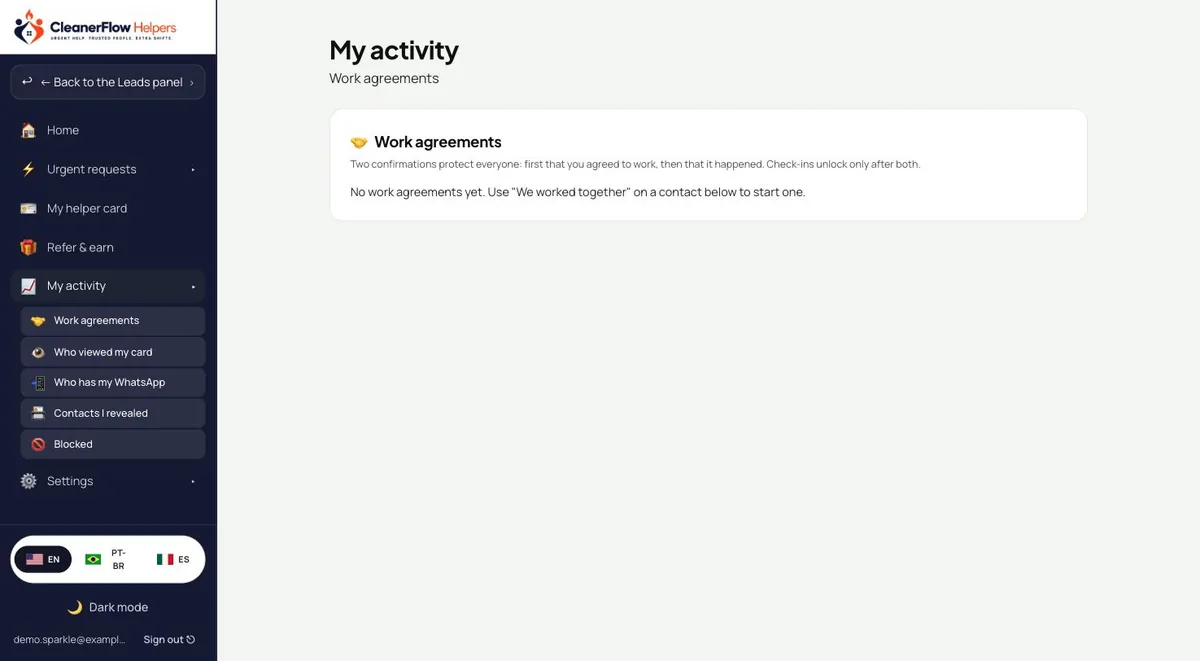
Work agreements
Two confirmations, then the reputation is real.
First both of you agree you were going to work together. Then both confirm it actually happened. Only after those two does a check-in unlock. That is why a good record here means something — nobody can build one alone.
- Both sides confirm, twice, before anything counts
- Check-ins open only after the work is confirmed by both
- Blocked people stay blocked, and you can undo it any time
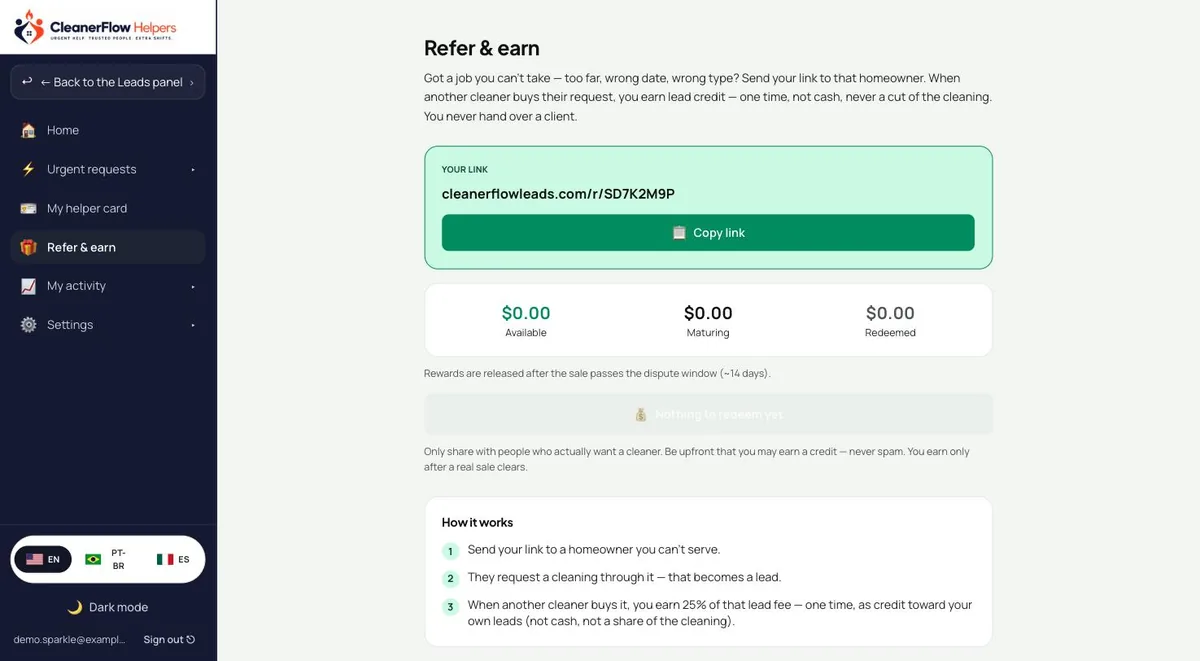
Refer and earn
The job you cannot take is still worth something.
Too far, wrong date, wrong type. Send your link to that homeowner instead of ghosting them. When another cleaner buys their request, you earn lead credit — one time, toward your own leads. Never cash, never a cut of anyone's cleaning, and you never hand over a client.
- 25% of that lead fee, as credit toward your own leads
- Released after the sale clears the dispute window
- You keep your client — this is only for the job you turned down
House rules
Four rules that make it safe to give out your number.
None of this is a setting buried three menus deep. It is how the product is built.
Counts, never names
You see that your card was viewed today and over the last week. You never see who, and nobody ever sees that about you. A number tells you it is working; a name would only start pressure.
Your WhatsApp is an action
Nobody browses a list of numbers. Contact opens only when you tap to reveal it, one request at a time, and reopening one you already revealed never costs a second reveal.
Blocking needs no reason
Block a poster from the card itself. They stay blocked, you see the whole list in your settings, and you can undo any of it whenever you want.
The certificate keeps the door
Helpers rides with an active Academy certificate. Let it lapse and the door closes; renew it and it opens again. That is what keeps this a room of people who do the work.
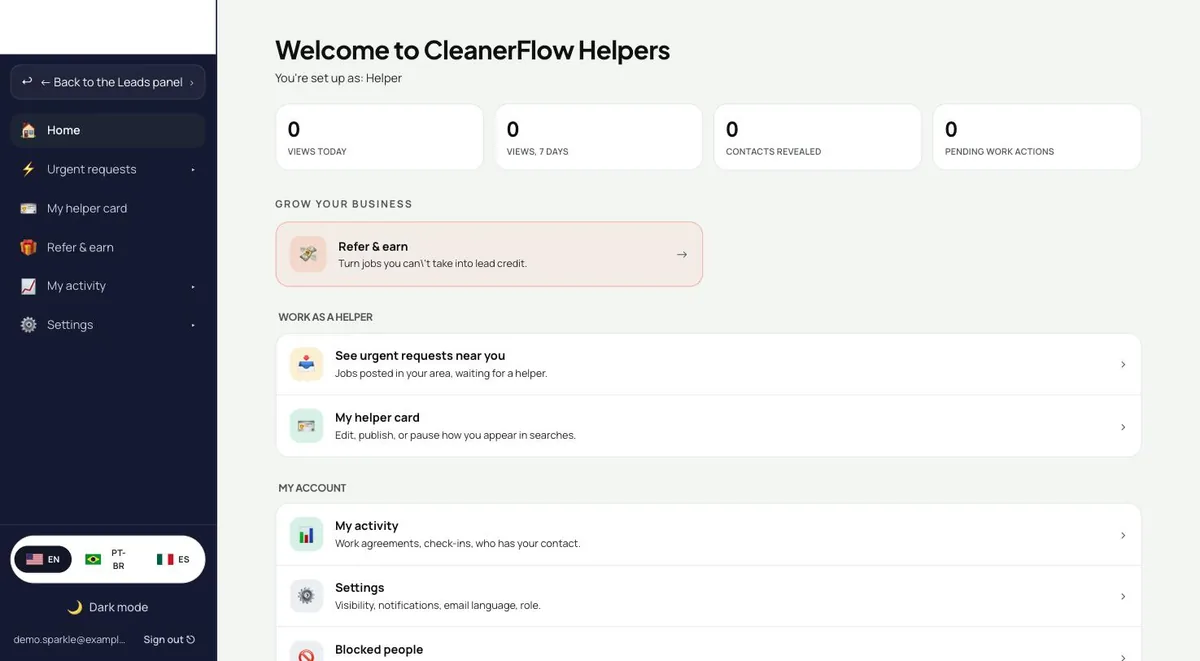
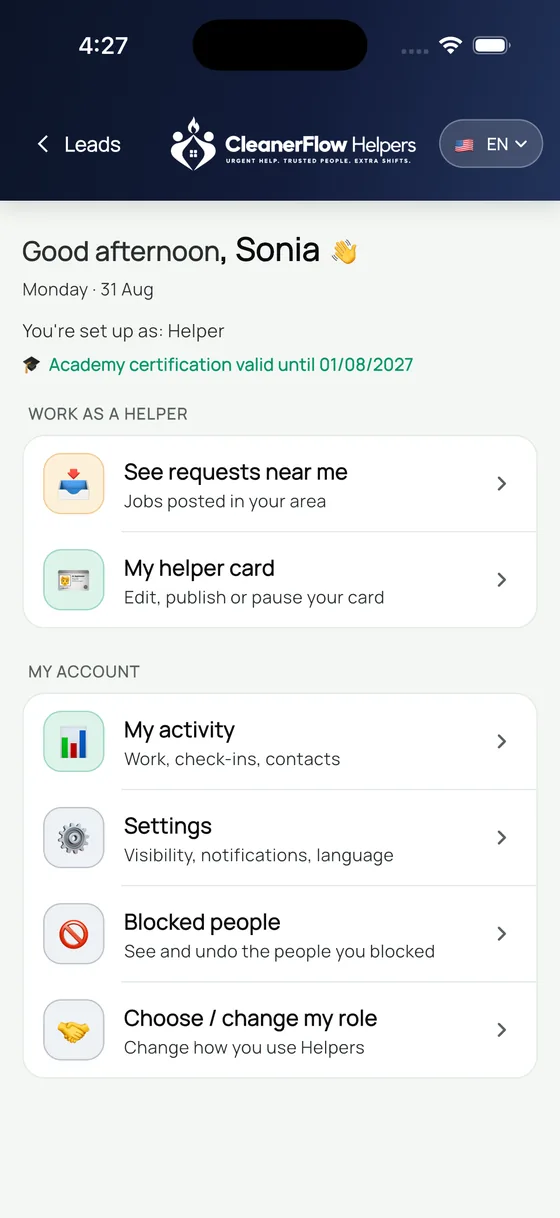
Phone or computer
The same Helpers, one tap from your Leads panel.
It is not a second app and not a second login. Open it from the phone between jobs, or from the browser panel you already use to buy leads.
The small settings that decide the big things
Helpers is a place where cleaners give each other a phone number. Everything that touches that is a switch you control.
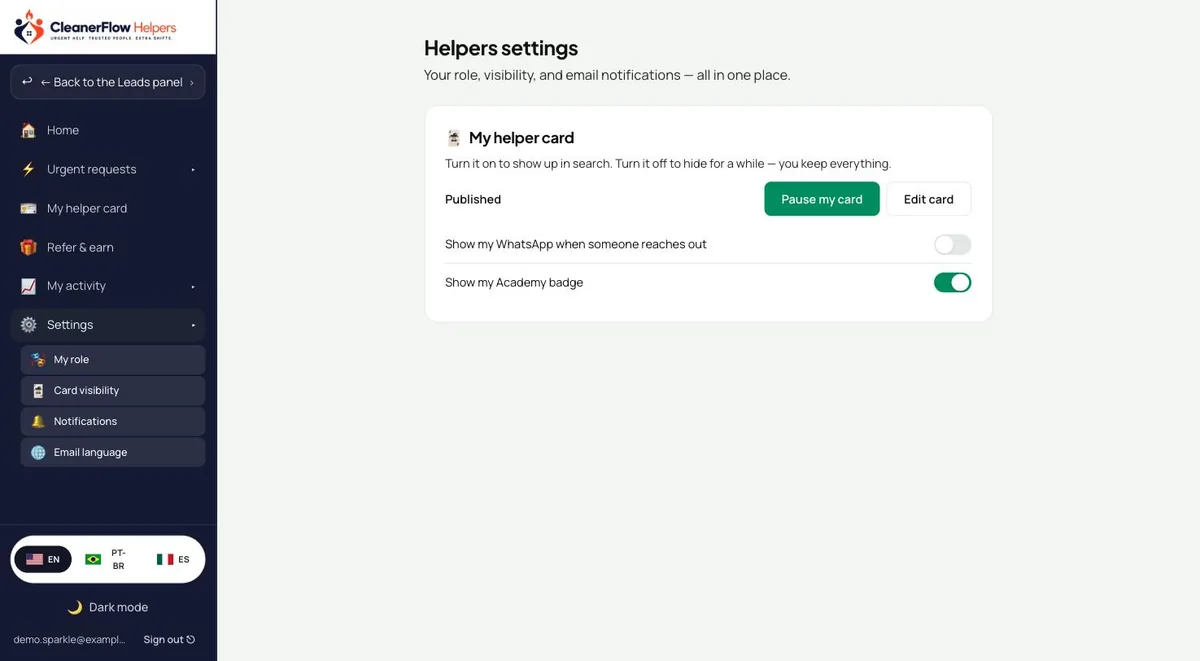
Who can see your card
Publish, pause or hide it. Paused means out of the directory, not deleted.
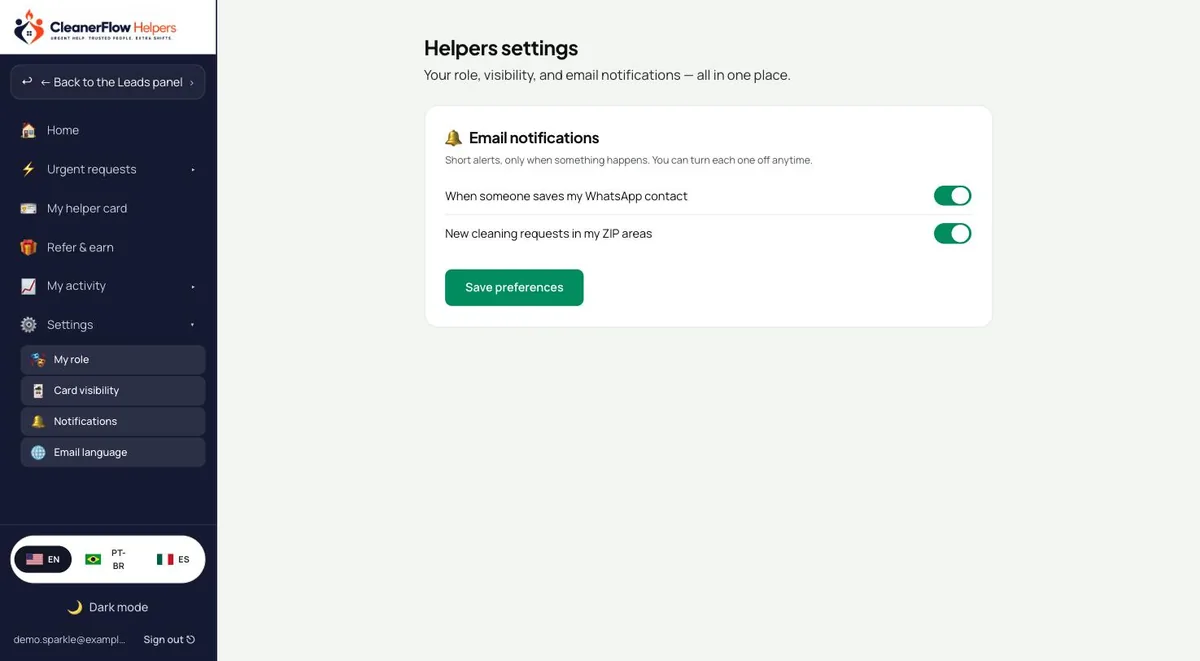
What reaches you
New requests in your ZIPs, someone saving your contact, new helpers nearby — each one on or off.
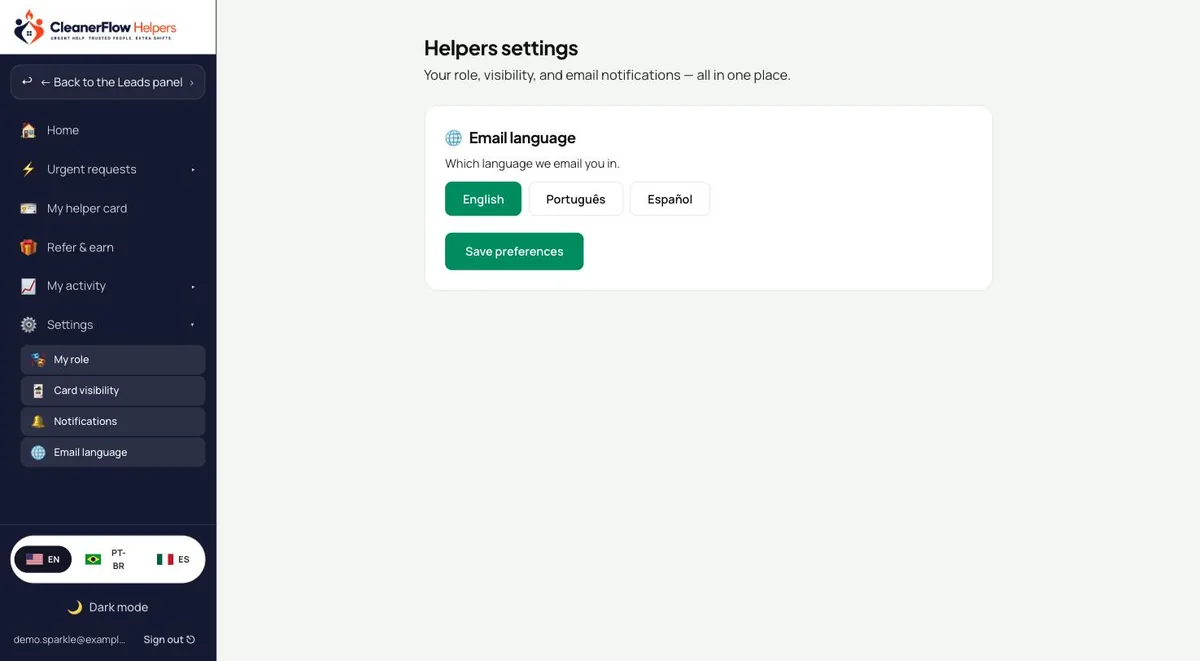
Your language
English, Portuguese or Spanish, for the app and for what lands in your inbox.
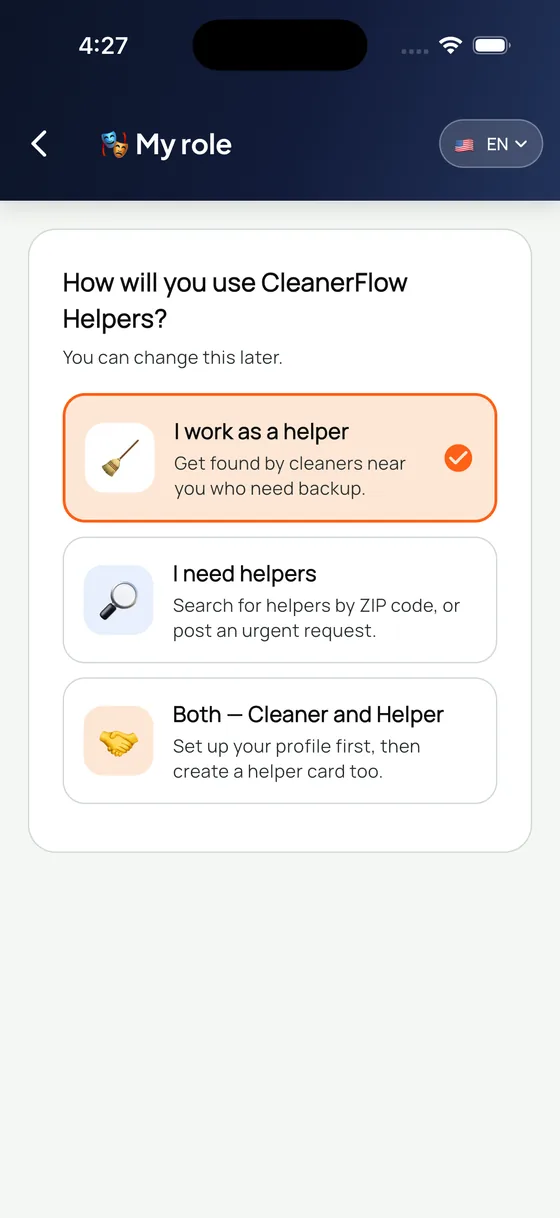
Helper, owner, or both
Take work, post work, or do both. Change it whenever your month changes.
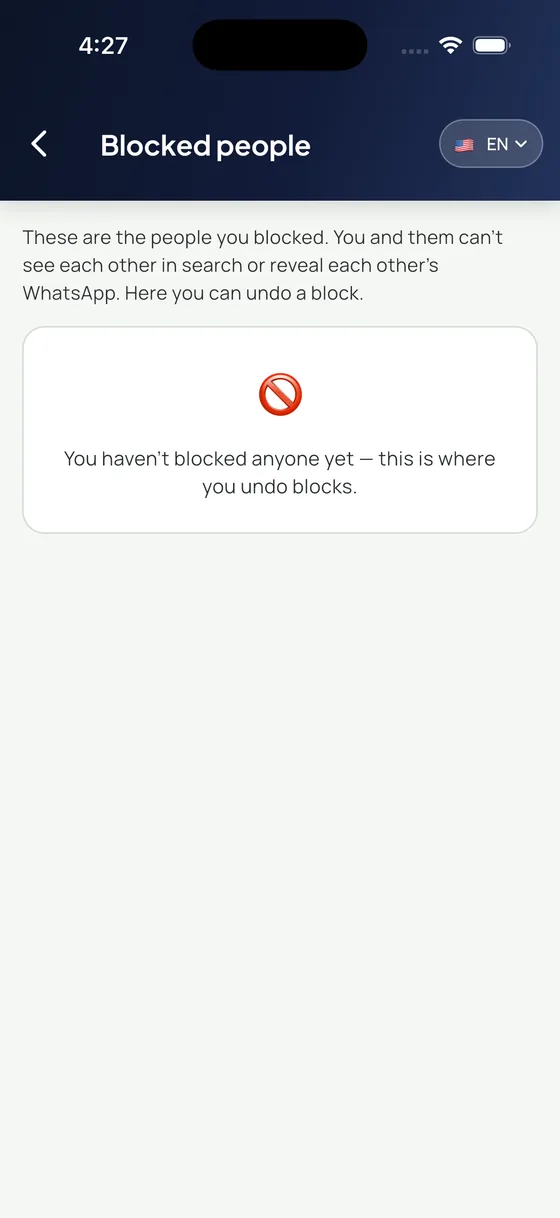
People you blocked
See everyone you blocked and undo any of it, without explaining yourself.
Everything in one home
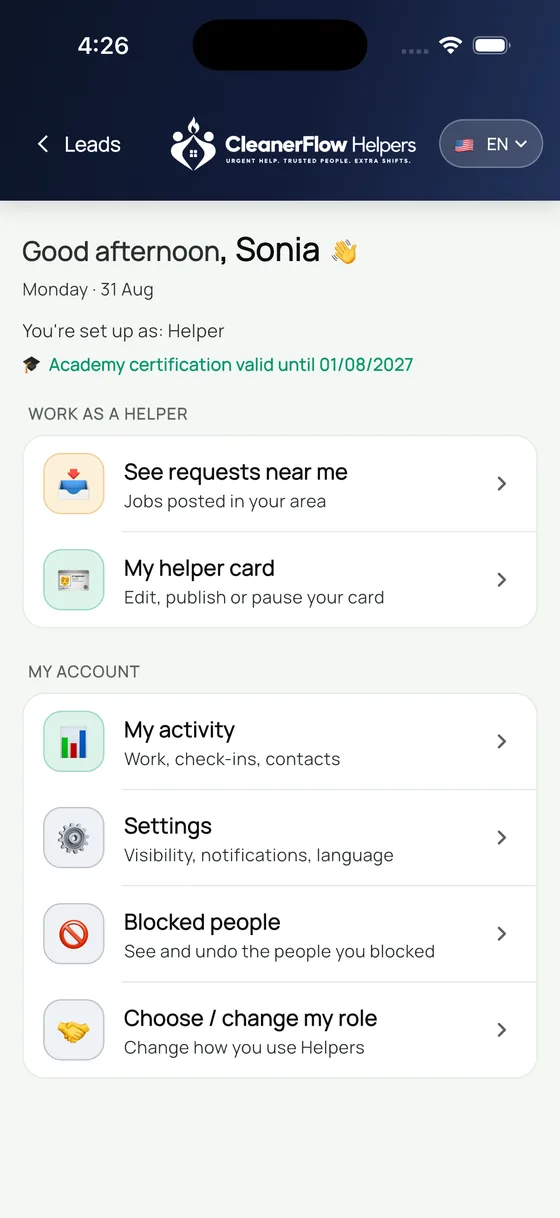
Work as a helper on top, your account underneath, and your certificate date in plain sight.
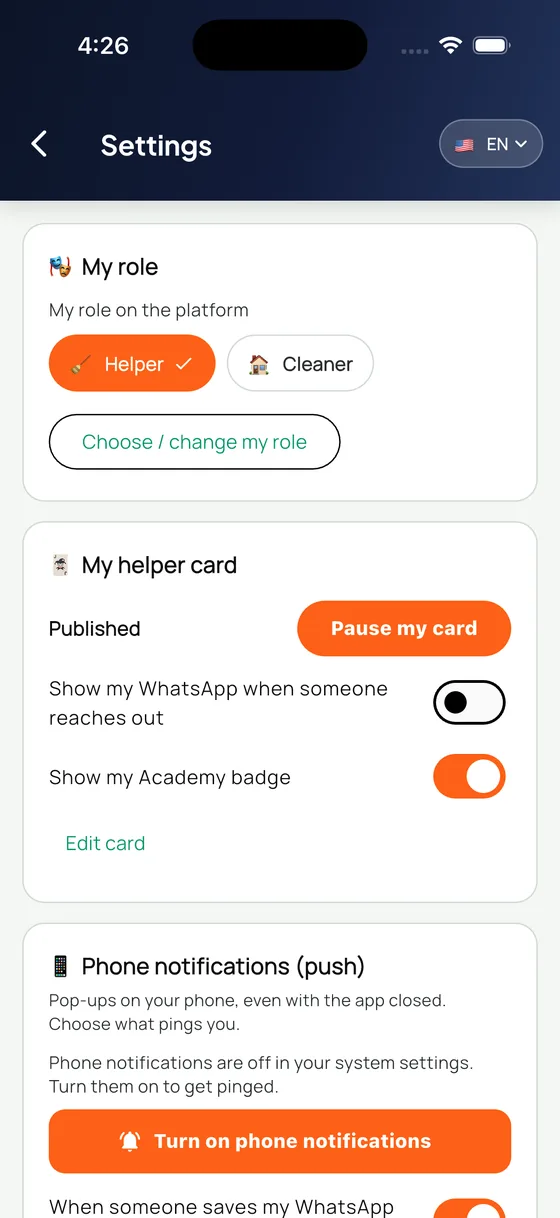
Every switch on one screen
Role, card paused or published, whether your WhatsApp shows, and whether your Academy badge shows. All of it in one place.
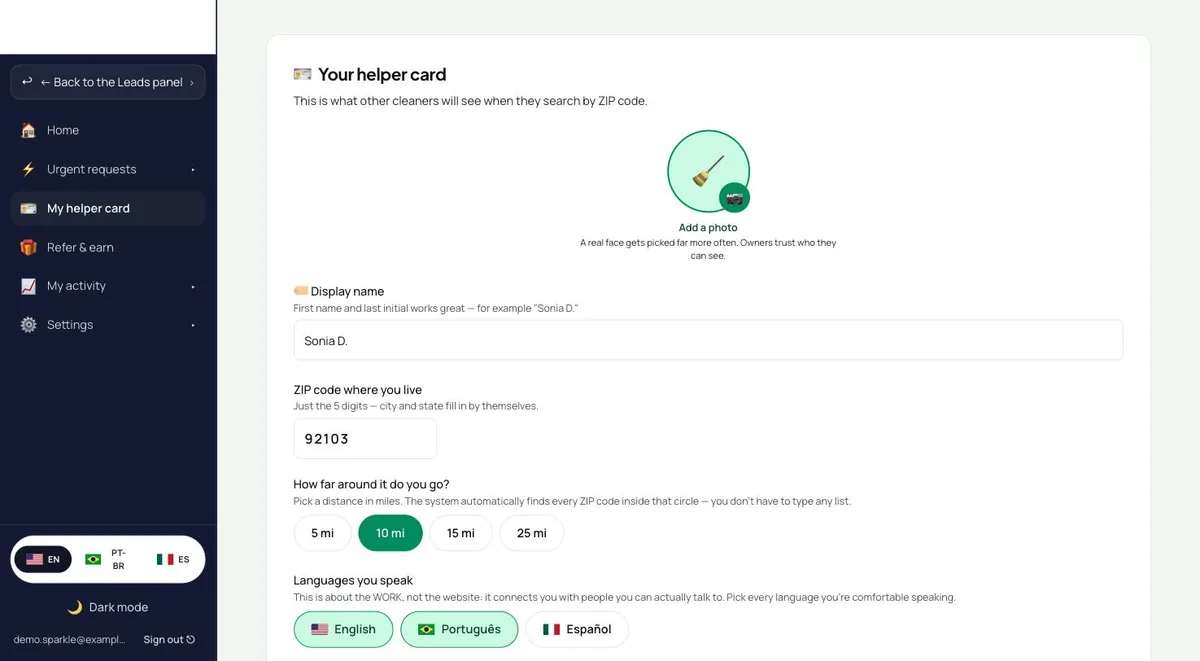
Your card, on a big screen
The same card, easier to fill in with a keyboard: photo, display name, ZIP, radius, and the languages you actually speak.
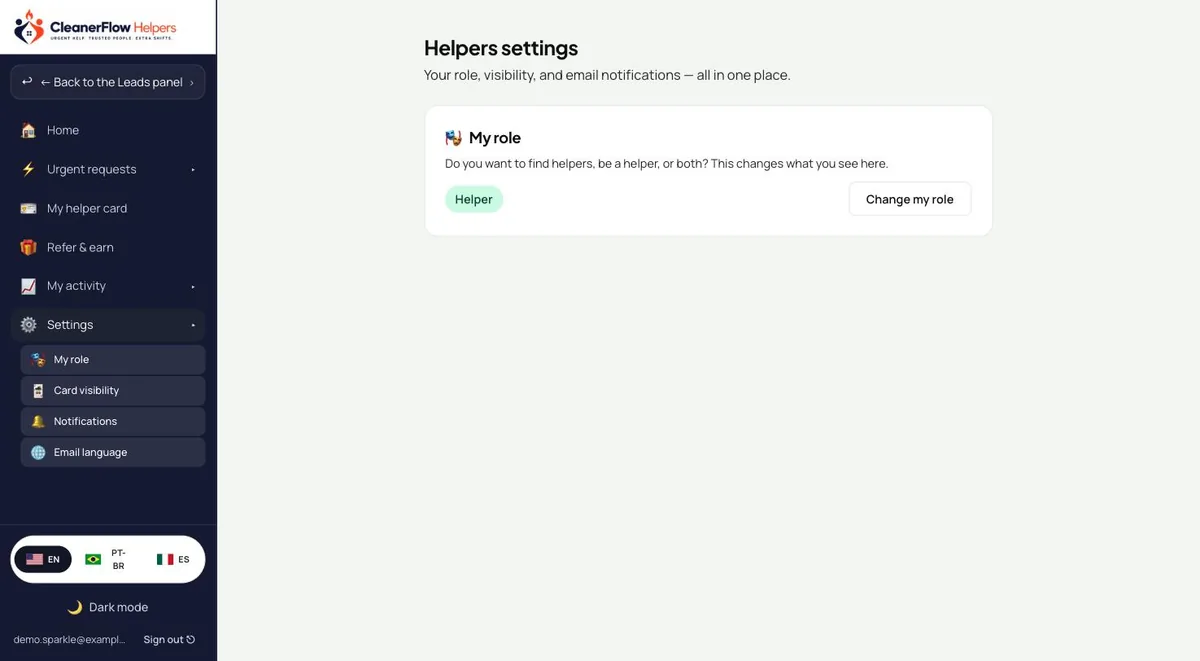
Settings that stay out of the way
Role, visibility, notifications and email language, each on its own page instead of one endless list.
Helpers rides with an active Academy certificate.
The certificate is what keeps this a room of people who do the work. Let it lapse and the door closes — renew it and it opens again.
How Helpers works