
Inside the app
You see the whole job before you spend a dollar.
Every picture below is the real app, not a drawing. Beds, baths, square footage, how long ago it came in, and a quality score — all of it before you decide. You pay only when you unlock the contact.
Real screens, captured in August and September 2026.
Anatomy of a lead
Everything you need to decide is on the card.
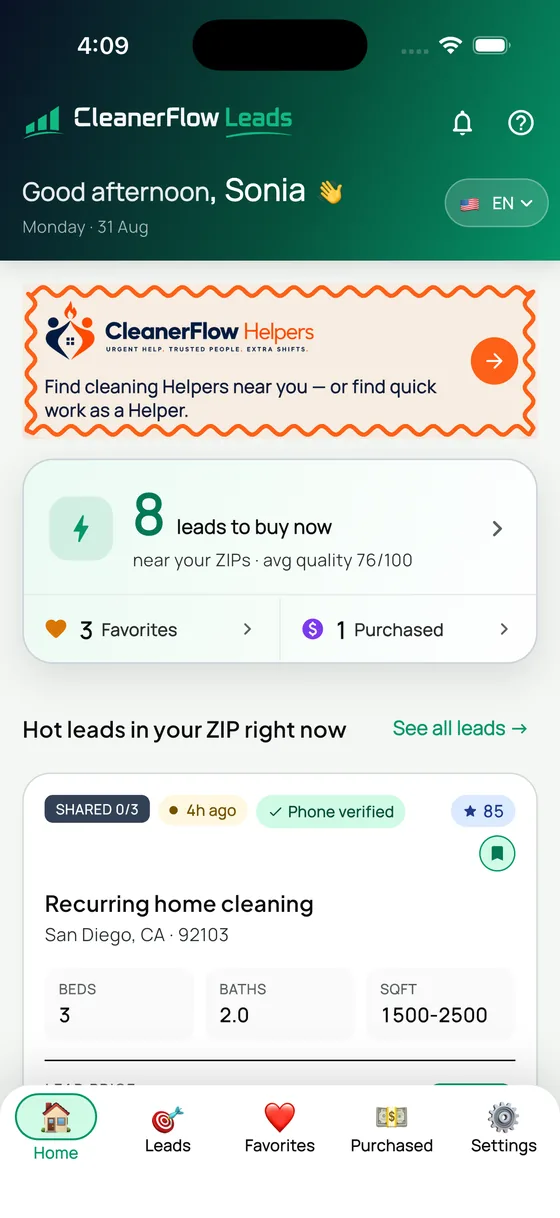
This is one real lead, exactly as it arrives. Six facts before any money moves — and the price is one of them.
- SHARED 0/3
- How many of the three slots are taken. Zero means nobody bought it yet and you would be first to call.
- 4h ago
- How long the request has been sitting. A four-hour-old homeowner still has the job on their mind.
- Phone verified
- The number answered a code. It is not a typo and it is not a bot.
- Score 85
- Freshness, completeness, ZIP match and budget signal, in one number you can compare across leads.
- Beds · baths · sqft
- The size of the job, so you can price it in your head before you open it.
- $30
- The lead price. Printed on the card, not discovered at checkout.
Your home screen
Open the app and the work is already waiting.
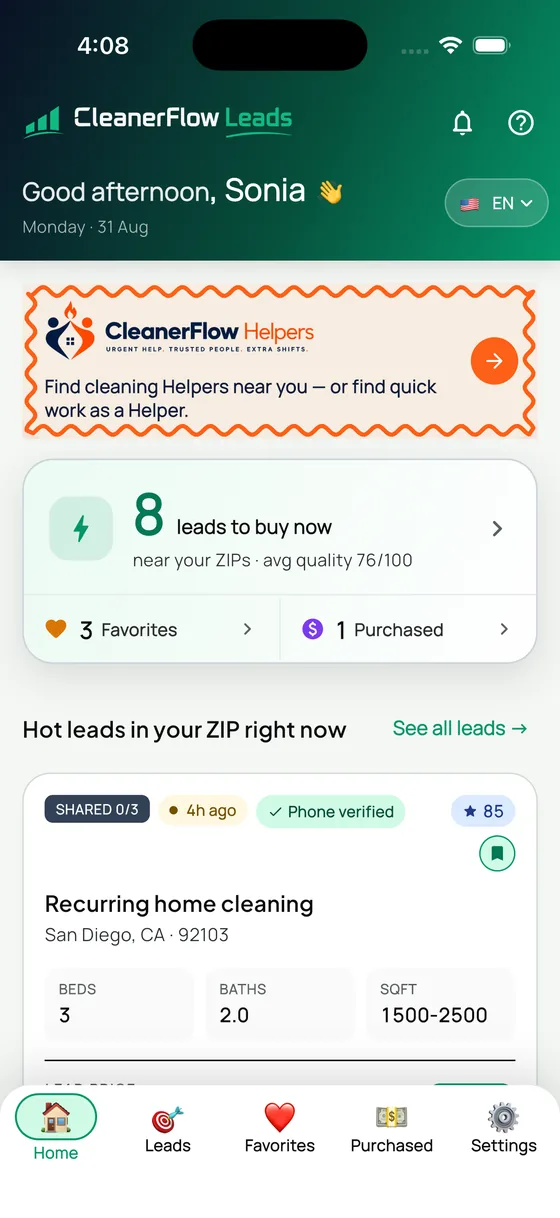
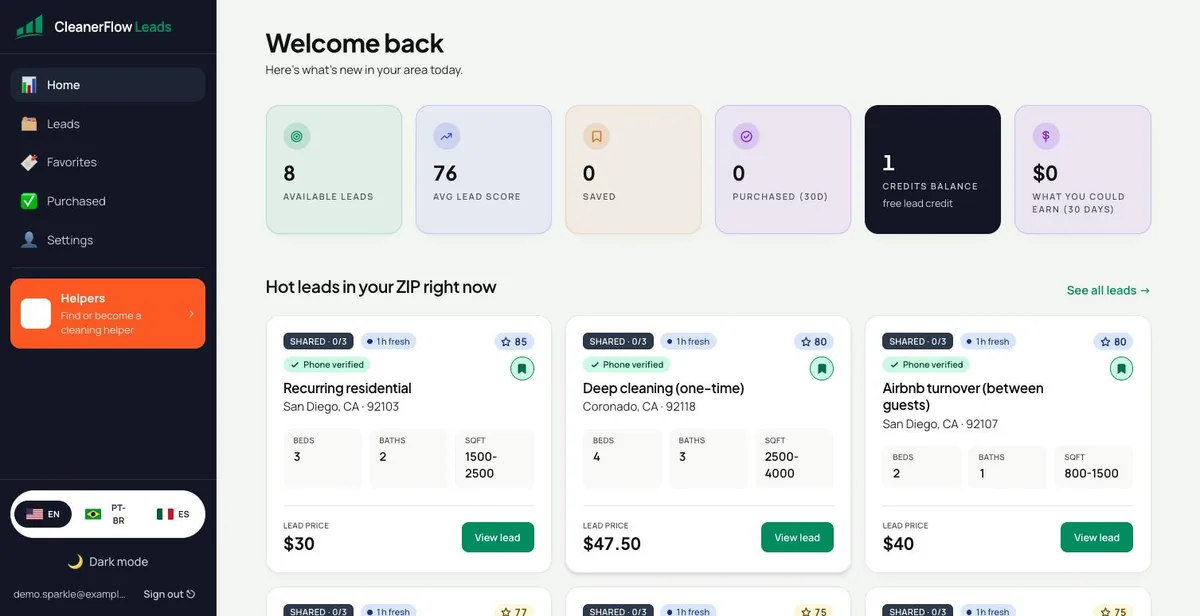
No searching, no feed to scroll. The app opens on how many leads are live in your ZIP codes right now, with the average quality of what is on the board. Underneath, the freshest ones in your area.
- Counts only your ZIP codes — never jobs across the county
- Average quality score of what is available right now
- Your favorites and purchased leads, one tap away
The leadboard
Scored before you pay. Filtered before you look.
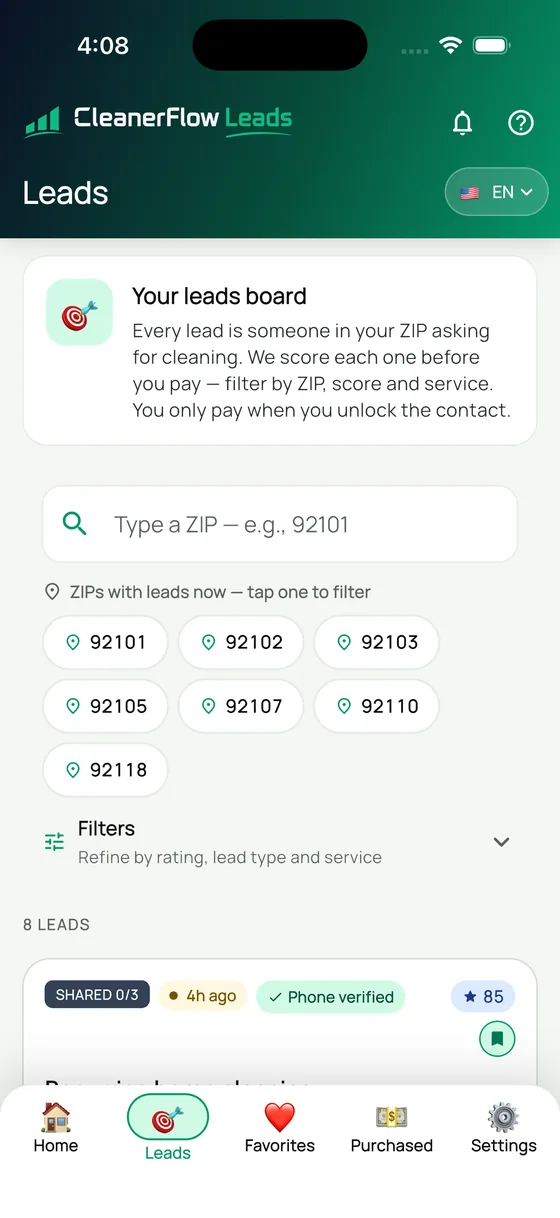
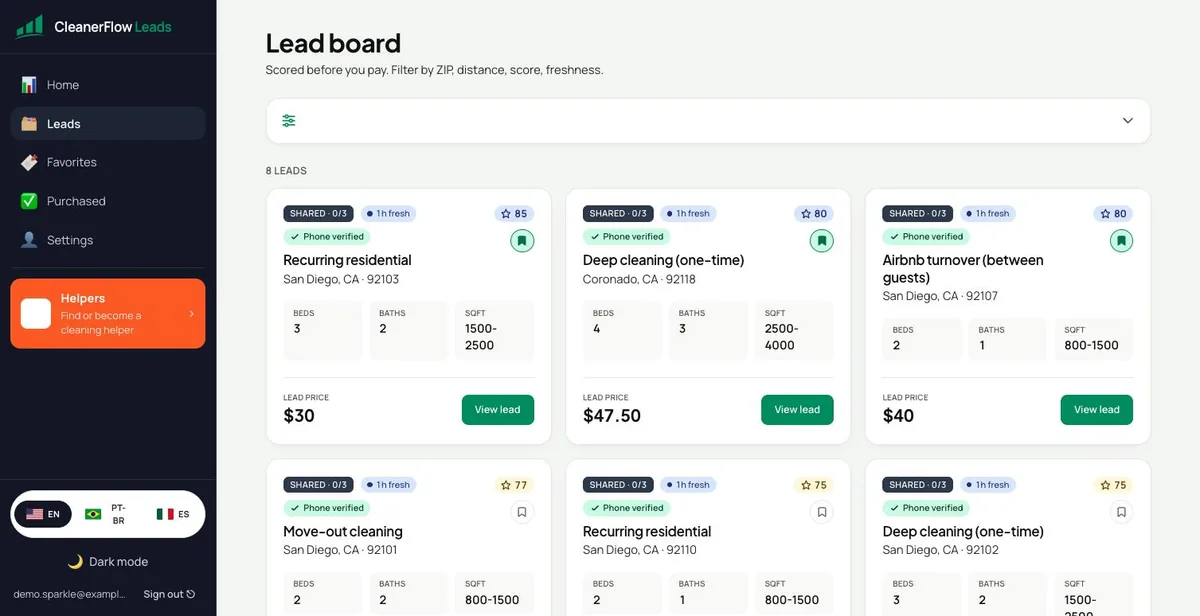
Every lead is a real person in your ZIP asking for cleaning. We score each one first, so a weak lead looks weak before it costs you anything. Filter by ZIP, by score, by service type — the board is yours to narrow.
- A score on every lead, visible before purchase
- Tap a ZIP to see only that area
- Phone-verified badge when we reached the homeowner
Never more than three
Three buyers. That is the ceiling, printed on the card.
Look at the tag on the lead: SHARED 0/3. Three cleaners at most, ever, and the counter tells you how many are already in before you buy. Exclusive leads go to one person and nobody else. You are not racing eight strangers to a phone call.
- The share counter is on the card, not in the fine print
- Exclusive leads have exactly one buyer
- You always see the price of that lead before you pay
After you buy
The contact opens and the conversation is yours.
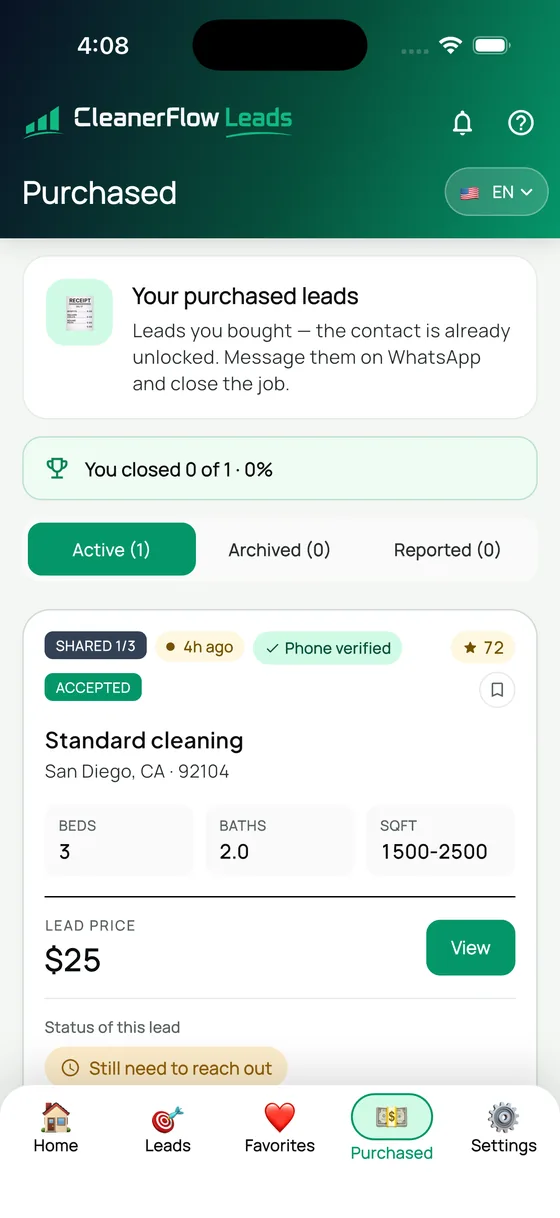
Buying unlocks the homeowner's contact — message them on WhatsApp and close the job. Nobody sits between you and the client, and nobody takes a cut of the cleaning. The app keeps score of what you closed so you know what your money actually bought.
- Contact unlocked the moment you buy
- Active, archived and reported leads kept apart
- A closed-rate you can read at a glance
Your service area
You decide where you work and how much you spend.
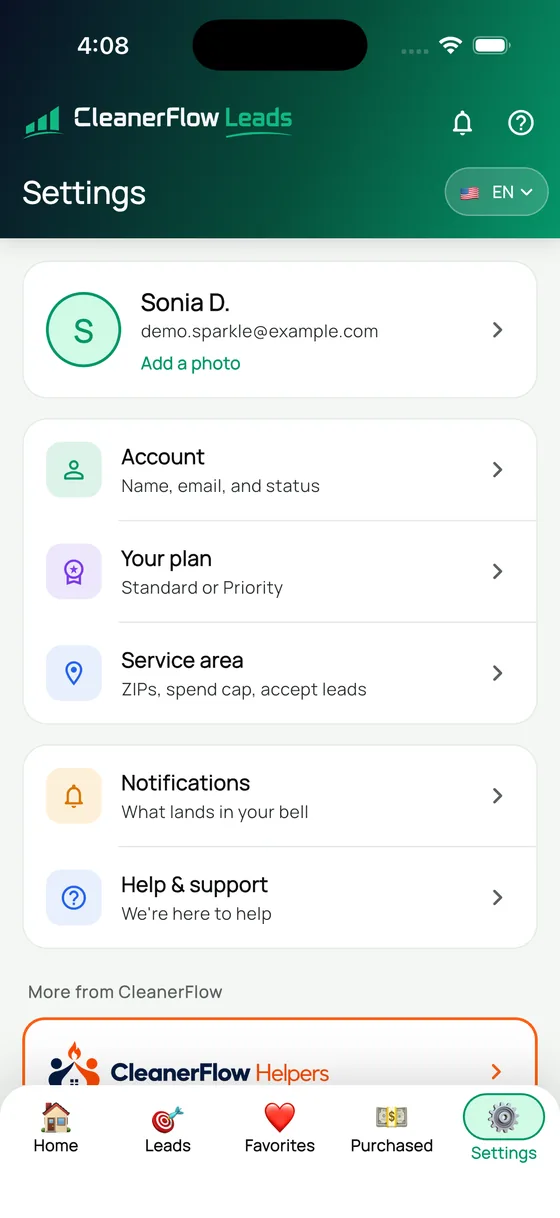
Set the ZIP codes you serve, put a cap on what you spend in a month, and pause new leads when your week is full. The app respects all three. Nothing arrives from outside the area you chose.
- ZIP codes, spend cap and accepting leads in one place
- Pause and resume without losing your settings
- Standard or Priority — you choose how selective you are
Alerts
The lead finds you, even with the app closed.
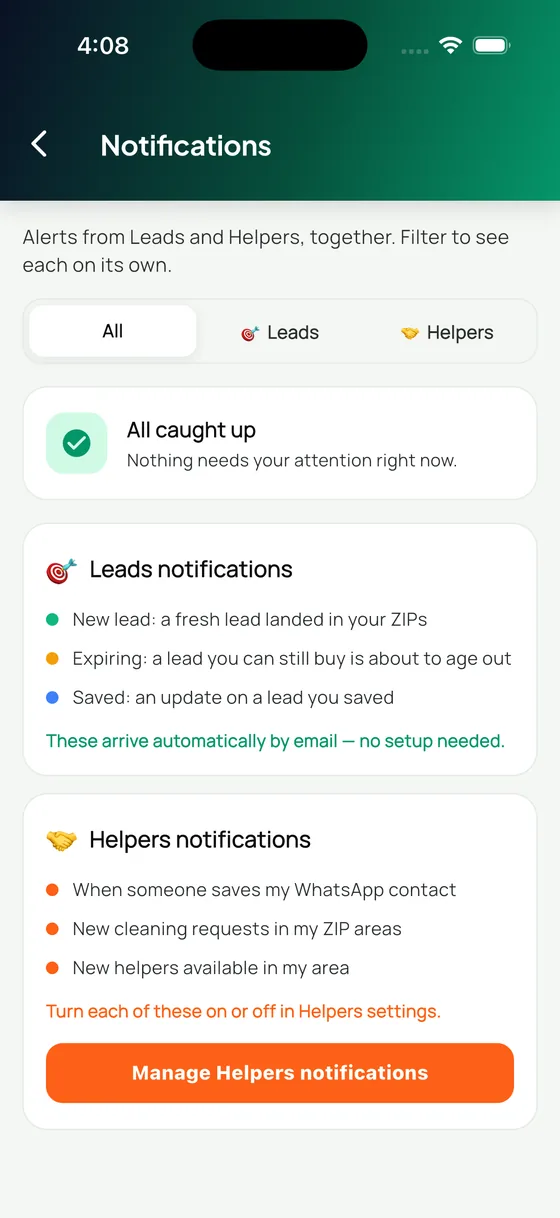
A fresh lead in your ZIP, a lead you saved about to expire, an update on something you were watching. It arrives by email with nothing to set up, and you can turn each kind on or off.
- New, expiring and saved-lead alerts
- Leads and Helpers alerts in one inbox, filterable
- Email works with no setup at all
In writing
The four rules that make this different from an auction.
Each one is enforced in the provider terms or in the product itself, not left to our discretion.
Three buyers, hard ceiling
Written into the provider terms and recorded in the homeowner’s consent at intake. The count is on the card, so you see it before you buy.
Nobody called? You get it back
Two days after the job date we ask the homeowner whether anyone contacted them. If nobody did, we open your refund without you having to notice.
Fourteen days to dispute
Duplicates, wrong numbers, bad addresses and leads outside your area qualify automatically. Anything else gets a human answer in one business day.
Off means off
One switch stops lead flow completely, not a pause that quietly resumes. A separate switch silences email, and you set your own monthly spend cap.
Phone or computer
Same account, whichever screen you have in your hand.
Buy on the phone between two jobs, do the paperwork on the laptop at night. One account, one board, one history — nothing to sync.
And the same thing on a bigger screen
The dashboard is not a cut-down version. Same leads, same scores, same rules — on the laptop you already have open.
The board on desktop
The same leads, more of them on screen at once, with the filters along the top.
Saved for later
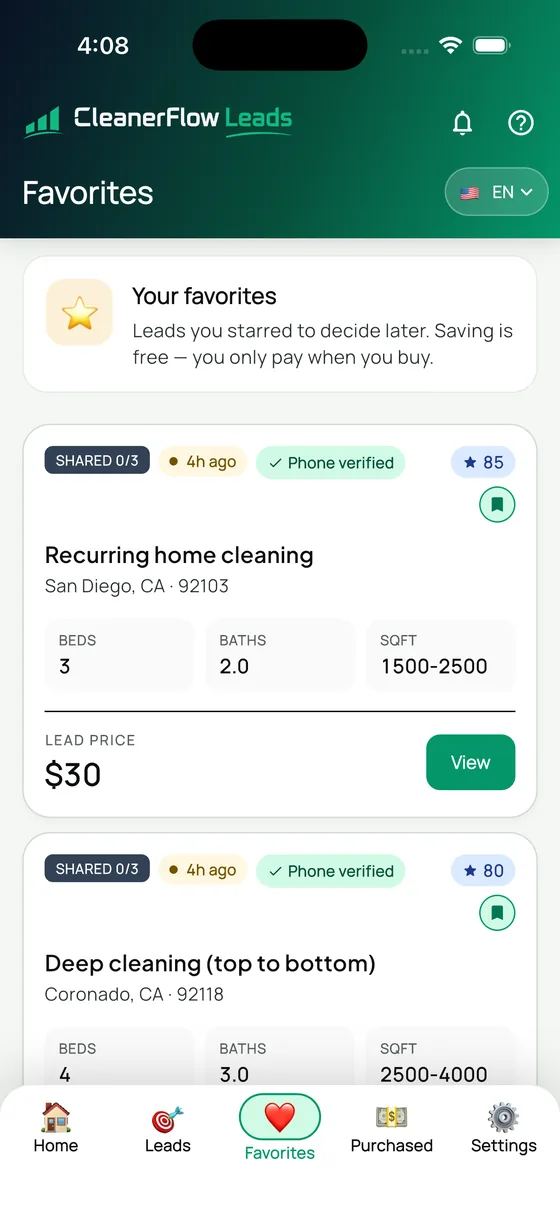
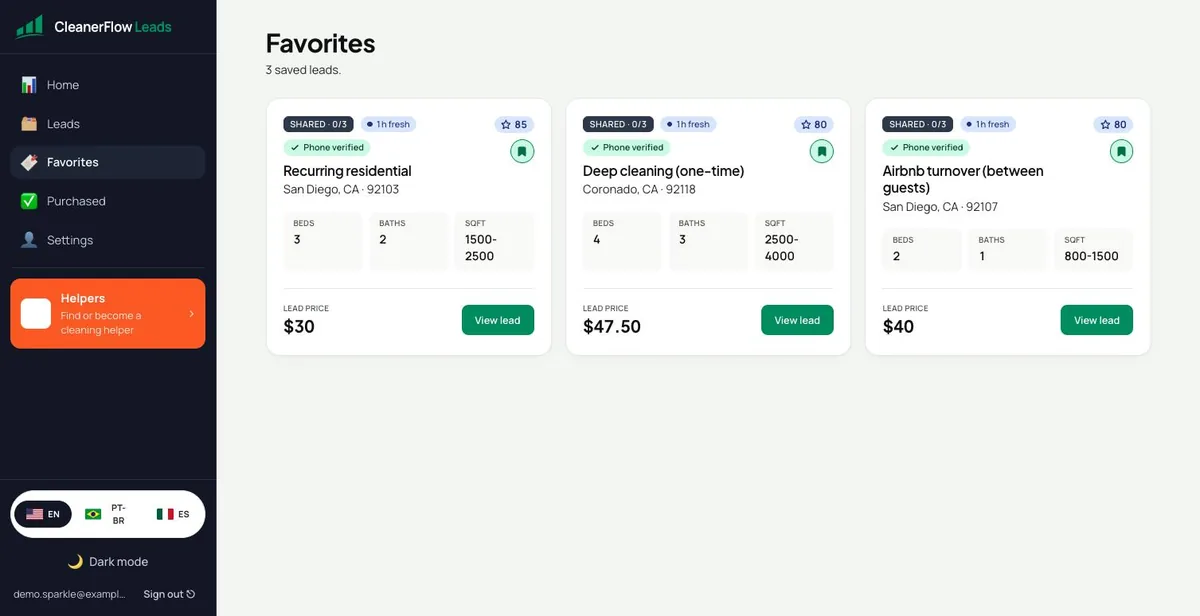
Star a lead to decide after work. Saving is free — you only pay when you unlock the contact.
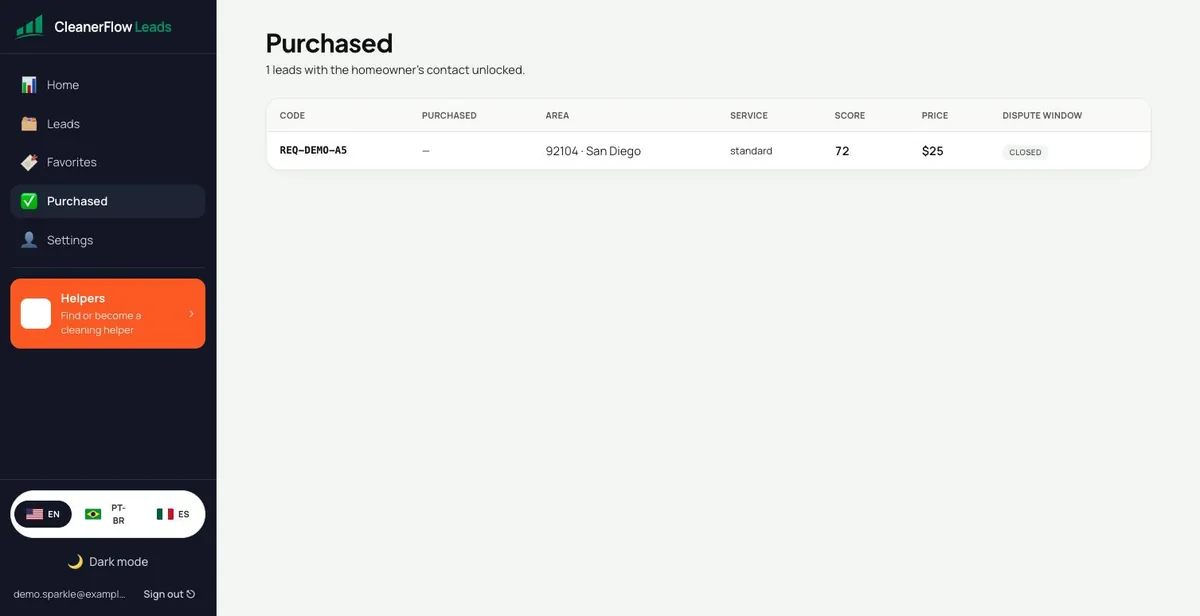
What you bought, and its dispute window
Code, area, service, score, price, and whether the window is still open. Your receipt and your evidence in one row.
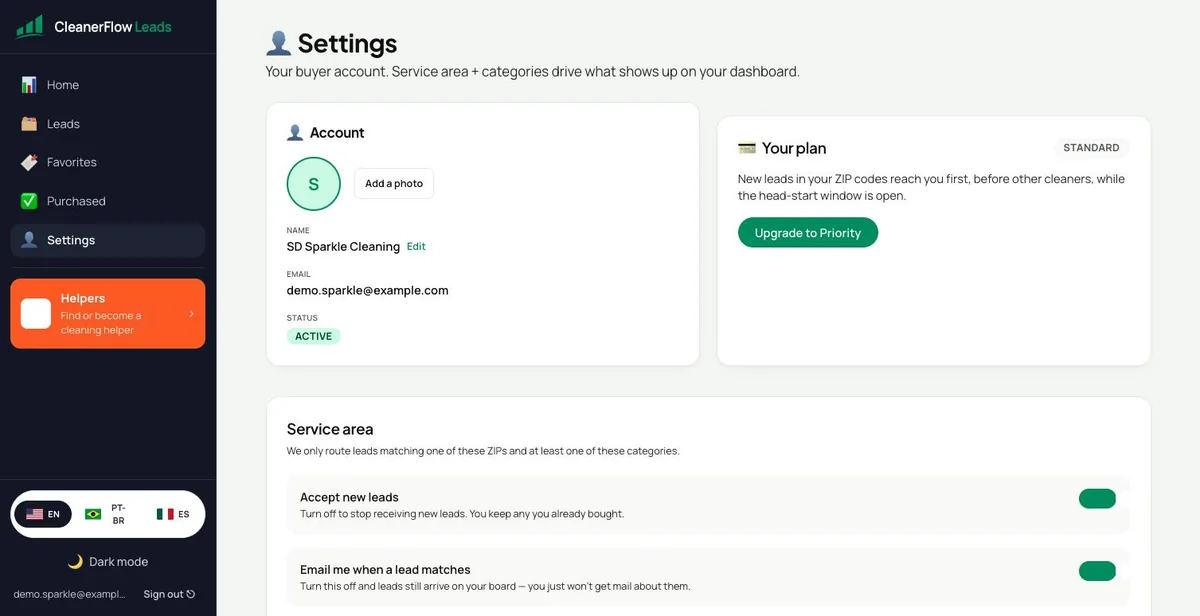
Your plan, and the head start
Standard sees every lead. Priority reaches new leads in your ZIPs first, while the head-start window is open.
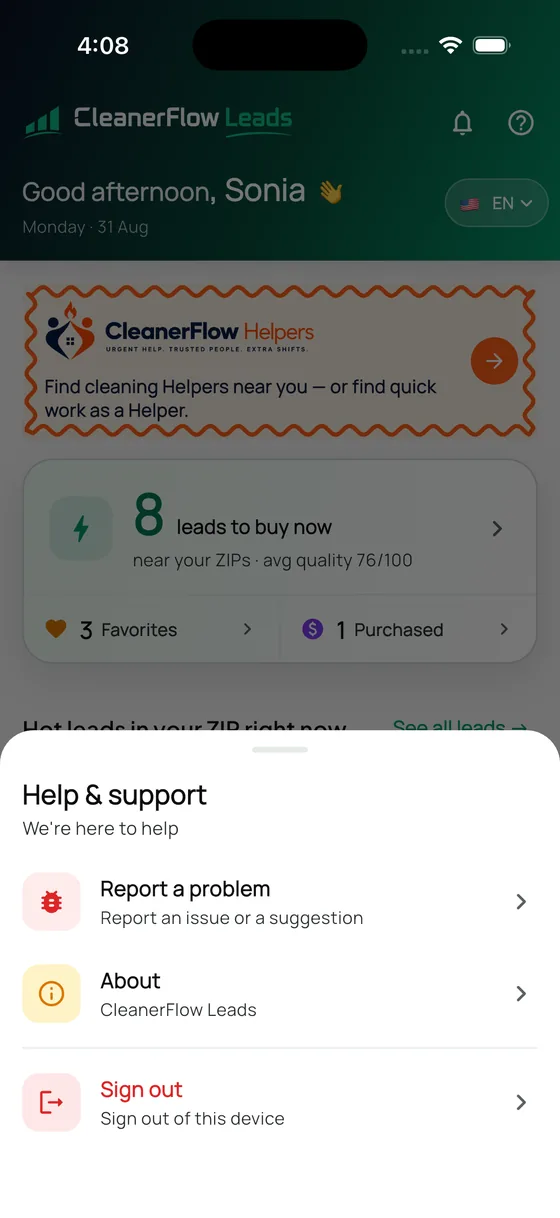
A real person answers
Report a problem straight from the app. No ticket maze, no bot that loops you back to the help page.
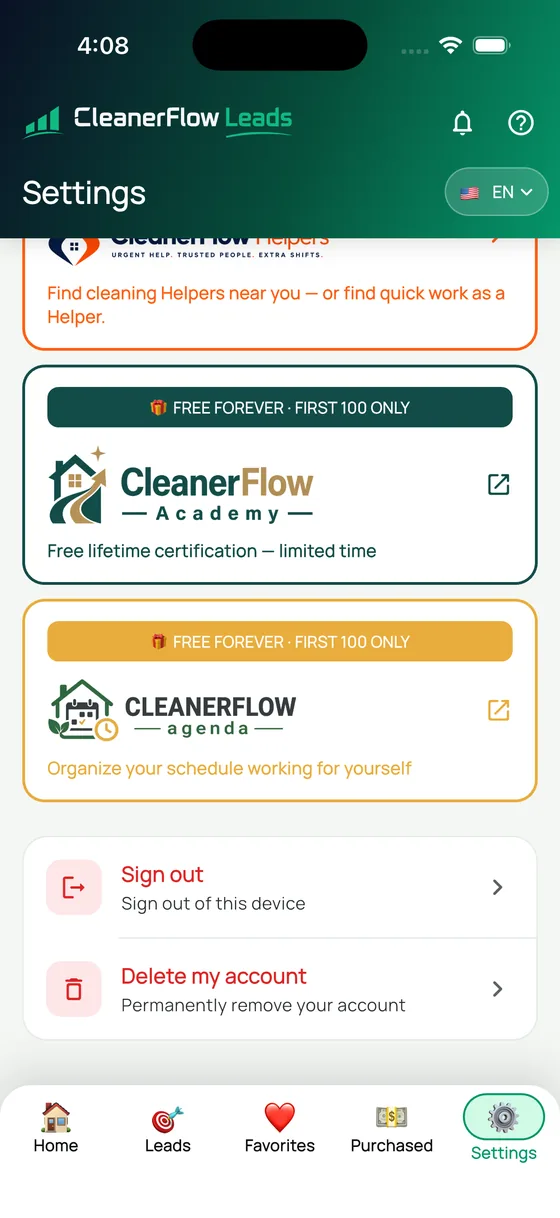
Leaving is one tap
Delete your account from inside the app, permanently. We do not hide the door — and the rest of the toolkit sits right there.
Your first lead is free.
Apply, tell us the ZIP codes you serve, and look at a real lead with its real price before you decide anything.
Apply for access